
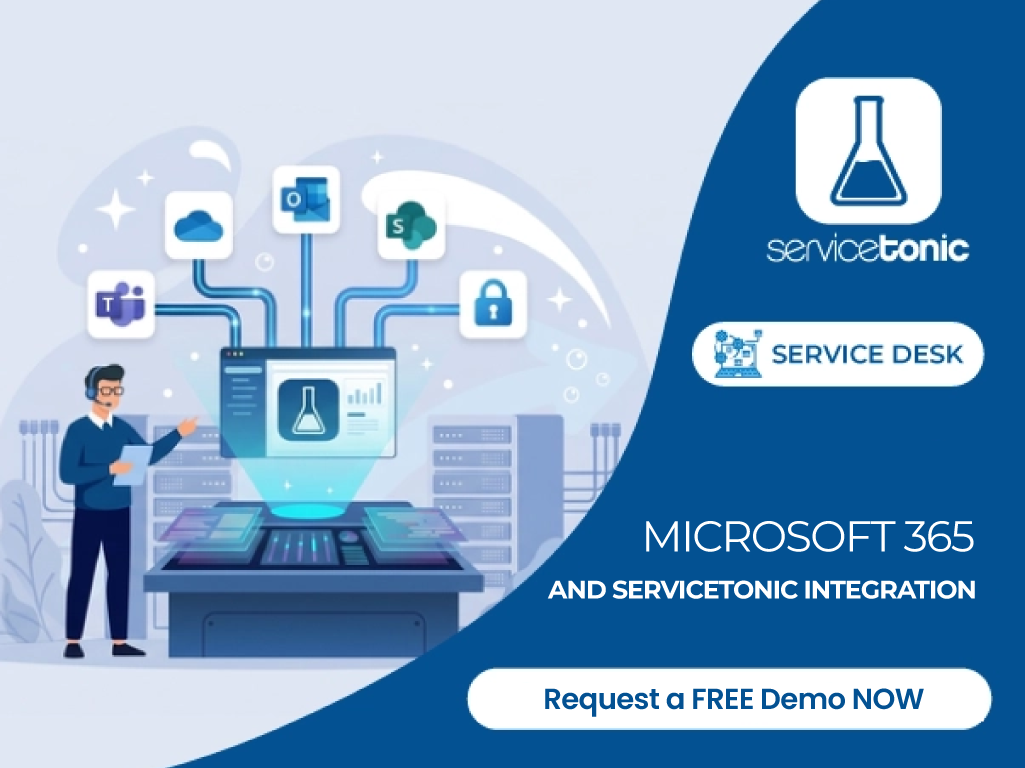
Instead of forcing users to work with isolated tools, integrations connect a service management software such as ServiceTonic with the applications they already use every day. The result is a more connected environment that reduces administrative tasks, makes support easier to access and improves the experience for both users and agents.
ServiceTonic offers predefined integrations with Microsoft Entra ID, Microsoft 365 Email, Microsoft Teams and SharePoint, covering four key areas: identity, communication, access to the Service Desk and knowledge management for Artificial Intelligence.
Why integrate ServiceTonic with Microsoft 365?
Microsoft 365 has become one of the leading collaboration and productivity environments for businesses. Integrating the Service Desk with its ecosystem connects support management with the tools that users and support teams already use every day.
With ServiceTonic + Microsoft 365, an employee can use their corporate identity to access the Service Desk, send a request by email, ask a question from Teams or receive answers from a Virtual Agent that draws on the organisation’s knowledge stored in SharePoint.
ServiceTonic connects these channels and resources in a single platform, making the support experience more integrated and efficient.
For users, this means simpler access and faster support from tools they already know.
For the support team, it means centralising information, automating processes, reducing manual tasks and improving productivity.
ServiceTonic integrations with Microsoft 365
ServiceTonic lets you connect different tools from the Microsoft ecosystem with the Service Desk. Each integration addresses a different need, but they all share the same goal: bringing service management closer to the environment where users normally work.
Microsoft Entra ID: centralised identity and SSO access
Identity management is one of the first things worth integrating when an organisation uses different corporate applications.
Through the integration with Microsoft Entra ID, formerly known as Azure Active Directory, users can use their corporate identity to access ServiceTonic through Single Sign-On (SSO).
Users can access ServiceTonic with their Microsoft 365 corporate credentials, or even without entering credentials if they already have an active M365 session, so they don’t have to manage new passwords just for the Service Desk.
This also benefits administrators, as it simplifies user management and keeps the access model more consistent.
Its main advantages include:
- SSO access.
- Fewer credentials.
- Centralised identity management.
- Easier integration of the Service Desk into the corporate ecosystem.
- Alignment with corporate authentication policies.
As a result, ServiceTonic no longer works as an isolated application and becomes part of the company’s identity strategy.
Microsoft 365 Email: turn email into a channel integrated with ServiceTonic
Email is still one of the most widely used channels for contacting support teams.
The problem arises when messages are handled directly from an inbox: it becomes harder to assign owners, control response times, track the status of each request or maintain traceability.
The two-way integration between Microsoft 365 Email and ServiceTonic lets you use email as one more input channel, alongside chat or chatbot, the user portal or the phone.
Users can keep using email to contact support, while agents manage requests from the ServiceTonic dashboard.
That way, a conversation started by email can be added to the ticketing system and handled using the Service Desk’s usual processes: categorisation, assignment, priorities, SLAs, notifications, escalations and workflows.
The integration meets two needs:
- For users, keeping a familiar and simple channel such as email.
- For the support team, working from a platform where requests can be organised, prioritised, measured and monitored.
Email is no longer just an inbox and becomes part of a structured service management process.
Microsoft Teams: the Service Desk where your users already work
Microsoft Teams is one of the leading communication and collaboration tools used by businesses, which is why it becomes one more channel for communicating with ServiceTonic.
The integration between Microsoft Teams and ServiceTonic lets users ask questions and request support directly from Teams, without switching applications. They can resolve queries from their usual environment and, when they can’t find an answer, create a ticket from Teams itself so the support team can take over.
For example, an employee who runs into a problem during the working day can start the request from the same environment they are already working in.
The request reaches the ServiceTonic dashboard and can then be handled through the processes configured by the agents.
This way, Teams acts as a gateway to the service, while ServiceTonic remains the platform from which the team controls and manages requests.
This integration lets you:
- Ask questions that can be answered by Virtual Assistants.
- Create tickets more easily.
- Centralise the subsequent management and traceability of requests in the Service Desk.
SharePoint: up-to-date corporate knowledge for Virtual Agents
The quality of the answers an Artificial Intelligence system gives depends largely on the quality of the knowledge it can access.
In a company, much of that knowledge already exists: internal procedures, technical documentation, instructions, policies, manuals and information about services.
The problem is that it is usually spread across different repositories.
For organisations that work with Microsoft 365, SharePoint often plays an important role as a repository for corporate documentation and knowledge.
The integration between ServiceTonic and SharePoint lets you use this information as a knowledge source for ServiceTonic’s Virtual Agents.
This way, ServiceTonic’s AI relies on the documentation the organisation itself maintains in SharePoint to answer questions and help users.
For example, an employee could ask:
- “How do I request a new computer?”
- “What is the procedure for accessing a particular application?”
- “What should I do if I’m working from home and can’t connect to the VPN?”
If the information is available in SharePoint, the Virtual Agent can use it to give an answer based on the company’s own documentation.
This makes it possible to move towards an AI-based self-service model, where certain questions can be resolved without an agent having to step in first, while ensuring the AI has up-to-date information.
In addition, keeping knowledge in the corporate repositories means there is no need to build a completely separate system just to feed the AI.
Microsoft 365 and ServiceTonic: what does each integration offer?
Although they are all part of the Microsoft 365 ecosystem, each integration plays a role at a different stage of the service experience.
| Integration | Main function | What does it make easier for users? | What does it offer the company? |
|---|---|---|---|
| Microsoft Entra ID | Identity and authentication | Accessing the Service Desk with their corporate identity through SSO | Simplifies access management and centralises identity |
| Microsoft 365 Email | Communication management | Requesting support by email | Turns email into an integrated, traceable channel within the Service Desk |
| Microsoft Teams | Communication management | Finding answers to common questions | Turns Teams, into an integrated traceable channel within the Service Desk |
| SharePoint | Knowledge management | Getting answers based on corporate documentation | Makes the organisation’s information available to Virtual Agents and makes it easier to keep up to date |
Combining these integrations covers the user’s entire journey: identifying themselves, contacting support, interacting from their usual environment and accessing the organisation’s knowledge.
Benefits of integrating Microsoft 365 with the Service Desk
The main value of these integrations lies not only in connecting applications. Their real use is in reducing friction between tools and improving the way employees, administrators and support teams work every day.
Less switching between applications
Constantly switching between applications takes time and makes the user experience harder.
If employees already work with Teams or Microsoft 365 Email, being able to use those same channels to interact with the Service Desk simplifies the process.
Users don’t need to know in depth how the support platform works to ask for help.
Greater adoption of the Service Desk
One of the common problems in service management is users turning to unstructured channels to ask for help.
Direct messages to technicians, phone calls, personal emails and informal conversations make traceability difficult.
Bringing the Service Desk closer to tools such as Teams or email helps requests come in through channels that can then be properly managed from the platform.
A simpler experience for employees
From the user’s perspective, support should be easy to use, however complex things are behind the scenes.
Being able to sign in with a corporate identity, send a request by email, create a ticket in Teams or ask a Virtual Agent directly lowers the barriers to using the service.
More secure access
The integration with Microsoft Entra ID brings the Service Desk into the identity model used by the organisation.
This helps avoid an unnecessary proliferation of separate credentials, makes centralised access management easier and keeps the Service Desk aligned with corporate authentication policies.
This capability is complemented by ServiceTonic’s own security measures, as a company certified to the ISO 27001 standard.
Better use of corporate knowledge
Many companies have a large amount of documentation but struggle to get users to find exactly what they need.
Integrating Virtual Agents with SharePoint puts this knowledge to new use.
Instead of relying solely on manual searches through folders and documents, users can ask a question directly and get help from the corporate knowledge sources available to the AI.
More self-service capability
Combining corporate knowledge with Virtual Agents makes it possible to resolve certain queries before they reach the support team.
When the AI has the information it needs, it can answer the user directly. When the situation requires human intervention, the Service Desk lets the process continue through a ticket handled by the support team.
This way, self-service and agent support don’t work as separate processes, but as different levels within the same service experience.
An example: from everyday work to the Service Desk without leaving the Microsoft ecosystem
Imagine an employee is having trouble accessing a corporate application.
The user can submit a query through the user portal, by email or from Microsoft Teams.
The Virtual Agent can check the information available in SharePoint to see whether there is a procedure related to the problem.
If the problem can’t be solved through self-service, the request moves on to the support team. The agent can reply through the same channel the user used, whether Microsoft 365 Email or Teams. In any case, the request is always available in the user portal, where the user can also check the status of their tickets.
All of this uses the user’s corporate identity, managed through Microsoft Entra ID.
The user experiences a simple process. Behind it, however, there is a structured process that lets the support team keep control of the request, its traceability and its follow-up.
Microsoft 365 + ServiceTonic: a more connected Service Desk
Microsoft 365 is part of the daily routine of millions of users. Integrating ServiceTonic with this ecosystem brings support into the tools users already know and use.
Microsoft Entra ID for identity and access, Microsoft 365 Email and Teams as communication channels, and SharePoint as a knowledge source for the AI.
The result: fewer manual tasks, more self-service, centralised management and a simpler support experience for users and agents.
With ServiceTonic, Microsoft 365 is no longer just a set of productivity tools; it also becomes part of a connected Service Management experience.
Frequently asked questions about integrating Microsoft 365 with ServiceTonic
Can ServiceTonic be integrated with Microsoft 365?
Yes. ServiceTonic integrates with several tools in the Microsoft 365 ecosystem, including Microsoft Entra ID, Microsoft 365 Email, Microsoft Teams and SharePoint. These integrations connect identity, communications, access to support and corporate knowledge with the Service Desk.
What are the advantages of integrating Microsoft Teams with a Service Desk?
The integration brings support closer to the environment where users already work. With ServiceTonic, users can ask questions and create tickets directly from Microsoft Teams, reducing switching between applications and making it easier to use the official support channels.
What is the purpose of integrating Microsoft Entra ID with help desk software?
Microsoft Entra ID centralises user identity and makes it easier to access the help desk software through Single Sign-On. Users can use their corporate identity to access ServiceTonic without having to manage separate credentials for the application.
Can tickets be created from Microsoft 365 Email?
Yes. The two-way integration with Microsoft 365 Email lets you use email as a channel integrated with ServiceTonic. Users can contact support by email while agents manage requests from the Service Desk, maintaining their traceability.
How is SharePoint integrated with ServiceTonic’s Artificial Intelligence?
SharePoint can be used as a knowledge source for ServiceTonic’s Virtual Agents. This way, the AI can draw on available, always up-to-date corporate documentation to answer questions and help users.
What benefits does a company get from integrating Microsoft 365 and ServiceTonic?
The integration simplifies access to support, reduces switching between applications, improves identity management, makes use of the channels users already know and makes corporate knowledge available to the AI, enabling self-service and interaction with users. It also encourages adoption of the Service Desk and helps reduce administrative tasks.
Do users have to leave Microsoft Teams or email to manage requests?
No. In fact, one of the goals of the integration is to let users keep working with familiar tools such as Microsoft Teams or Microsoft 365 Email. Requests can come in through these channels while the support team keeps managing them centrally in ServiceTonic.
Conclusion
Microsoft 365 is where much of many organisations’ daily work happens. Integrating the Service Desk into this ecosystem makes the most of that reality instead of forcing users to adapt to completely separate processes.
With the Microsoft Entra ID, Microsoft 365 Email, Microsoft Teams and SharePoint integrations, ServiceTonic connects support with the identity, communication channels and knowledge the company already uses.
The result is a Service Desk that is more accessible for users, more efficient for support teams and better connected with the rest of the corporate tools.
A way to simplify service management without giving up the Microsoft 365 environment the organisation already uses.