
When this process isn’t well structured, incidents can end up unassigned or duplicated, exceed expected response times or rely on emails and conversations that are hard to follow.
Defining a clear process, establishing responsibilities and using common criteria for prioritization and tracking improves traceability and reduces the impact of incidents on users and the business.
What is IT incident management?
IT incident management is the process by which an organization detects, logs, categorizes and resolves any interruption or degradation of a technology service that affects its users or systems. The goal isn’t just to fix the specific issue, but to do so as quickly as possible while keeping a record of everything that happened.
Having a structured incident management process isn’t just for large companies. Any organization that relies on its systems to operate gains control, saves time and improves service quality when it’s clear how each issue is handled.
What does the IT incident management process look like?
Although each organization can adapt the process to its needs, structured incident management usually follows several stages:
- Logging. The incident is logged with the information needed to track it.
- Categorization and prioritization. The type of incident is identified and its priority is determined based on criteria such as impact and urgency.
- Assignment. The request is routed to the team or agent responsible for resolving it.
- Diagnosis and resolution. The team analyzes the cause, applies a solution and documents the actions taken.
- Closure and follow-up. Once resolved, the incident is closed, keeping its history for future reference and analysis.
What happens when incident management isn’t well organized?
When incident management isn’t well organized, having an agent or team handle requests without the right tool ends up becoming a structural problem. If incidents arrive through different channels without a centralized system, information becomes fragmented and scattered.
What should be a controlled process ends up depending on no one forgetting to check every channel and, often, on each technician’s memory.
Using incident management software helps keep all the incidents an organization needs to handle organized.
Signs that IT incident management isn’t working
- Incidents that come in and remain unassigned
- Two technicians working on the same issue without knowing it
- Users who don’t know whether anyone has seen their request
- Urgent incidents waiting longer than they should
- No real data on resolution times or team workload
If any of these situations sound familiar, the problem isn’t a one-off: it’s systemic.
Consequences of poorly structured incident management
Email or chat work when the team is small and the volume is low. Beyond a certain point, they stop working: unassigned incidents, duplicate responses, users who don’t know whether anyone has seen their message and managers who can’t measure anything.
Email was designed for communication, not for managing incidents. And that misuse has a real cost: time wasted searching for old conversations, resolving the same incident for the third time or discovering that an urgent issue fell through the cracks. It’s a hidden cost, but it’s there.
Best practices for organizing IT incident management
Effective management of user requests requires the IT team to have a centralized platform, such as ServiceTonic, that integrates the following features:
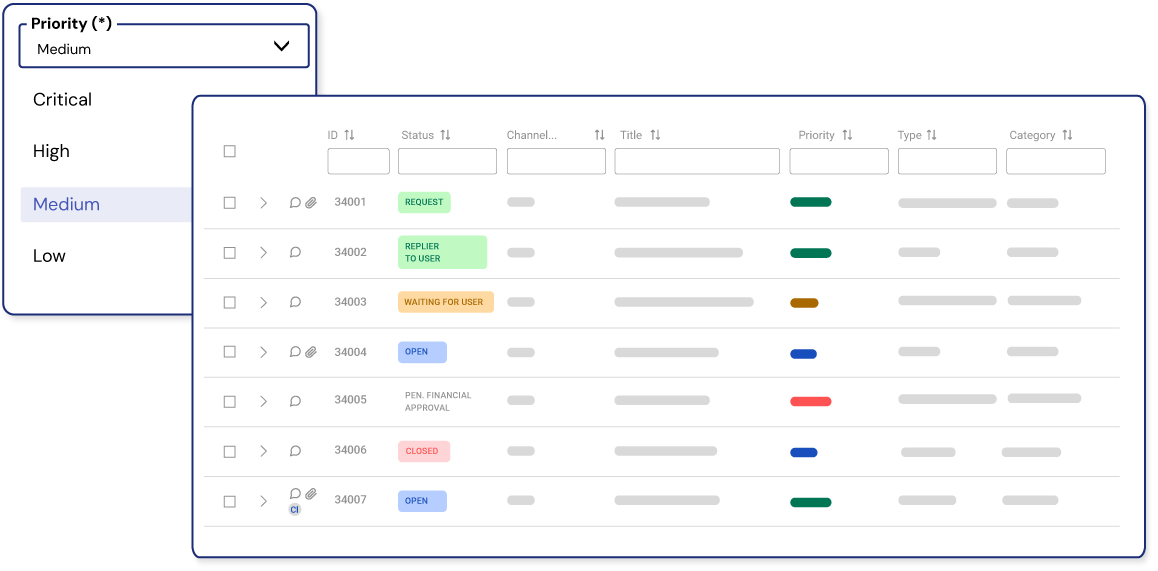
Centralize incident logging
All support requests are managed from a single point, whether they arrive by email, the user portal, phone, chat or WhatsApp. The platform centralizes and organizes each incident, assigning it a tracking number, an owner, a priority and a status visible to the whole team. This ensures full control of the process, better collaboration and the guarantee that no request goes unanswered.
Define categorization, prioritization and assignment criteria
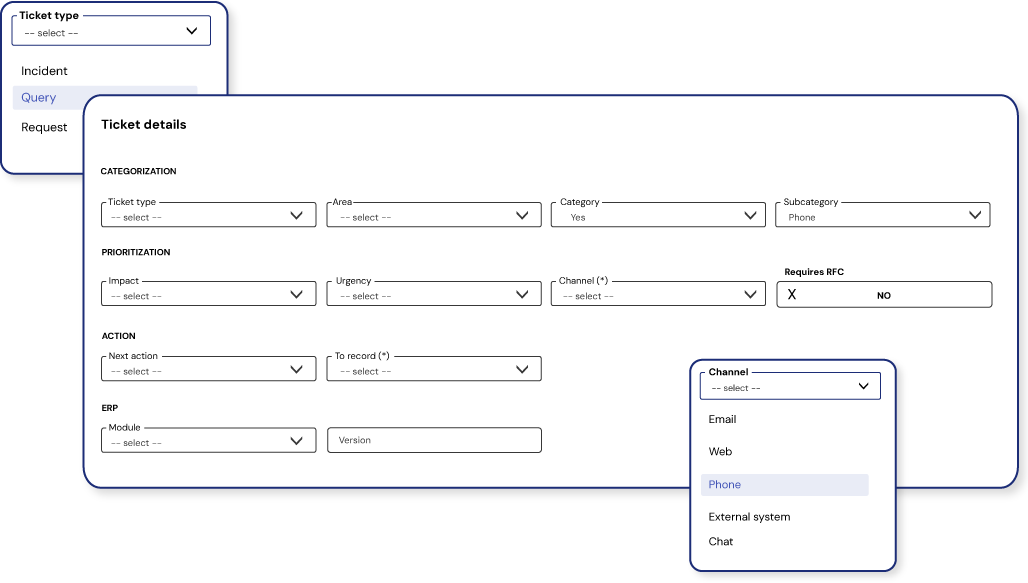
Establishing clear criteria ensures that each incident is handled consistently from the start. Categorization identifies the type of request, prioritization determines its urgency and impact, and assignment routes the ticket to the most suitable team or agent. This reduces errors, reassignments and response times.
Automate repetitive tasks
Automation makes it possible to carry out repetitive tasks such as assigning owners, sending notifications, changing statuses or triggering certain escalations. This helps reduce manual work and apply common criteria throughout the process.
Monitor response and resolution times
A Service Level Agreement (SLA) sets the committed response and resolution times for each type of incident. Without this layer, incident tracking depends on each technician’s judgment. With it, the system sends an alert before a deadline is missed, and managers have greater control over the actual state of the service.
Document recurring solutions
Many incidents recur. A knowledge base makes it possible to document solutions that have already been found and make them available to the team (and to users themselves), reducing resolution times for recurring issues and preventing each technician from having to solve the same problem from scratch.
Enable self-service
Users can check the status of their incidents, find answers to common questions and submit new requests without having to call or email the IT team. The result is a better user experience, fewer interruptions for the technical team and greater satisfaction with the service received.
Use AI to support the team
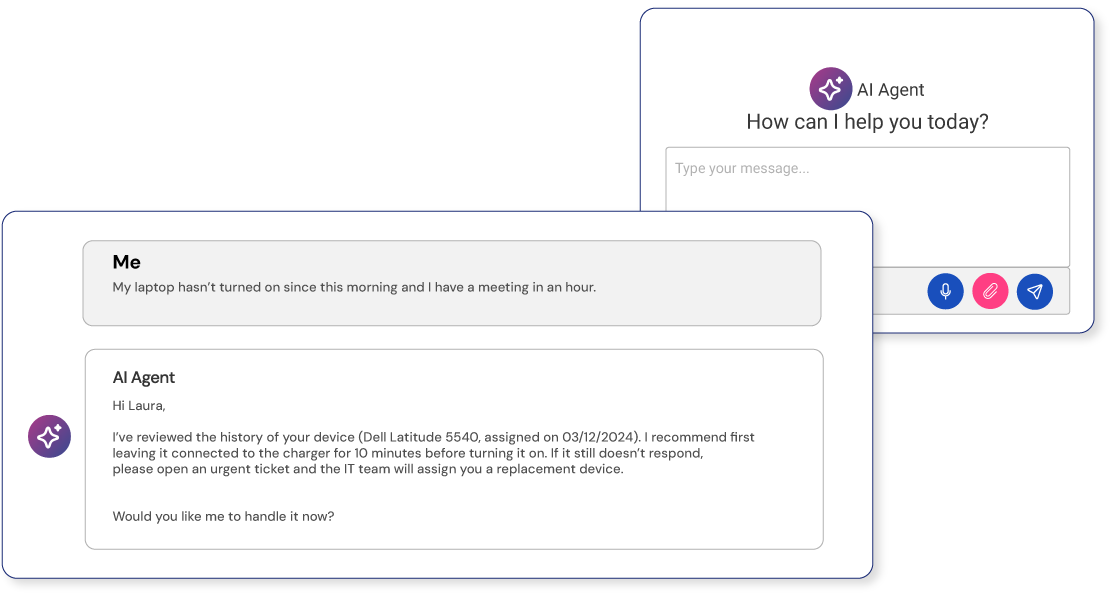
Artificial intelligence can automatically categorize incidents, suggest solutions based on the system’s history and support technicians while they resolve incidents. What makes the difference is combining it with management processes: when AI is trained on the company’s own data (rather than generic data), it becomes a useful resource from day one and improves with use.
Integrate management with other systems
Incident management software doesn’t work in isolation. Connecting it with monitoring tools, user directories (Active Directory, LDAP), communication systems or project management platforms allows information to flow smoothly and gives each department access to what it needs without depending on another team to get it.
When to use a dedicated incident management tool
As the number of users, requests, channels or teams involved grows, it becomes harder to keep the process under control using email, spreadsheets or standalone tools.
At that point, a specialized platform makes it possible to centralize information, apply common prioritization and assignment criteria, monitor service times and keep the complete history of each incident.
If your organization needs these capabilities, take a look at ServiceTonic’s incident management software.
What changes when you work with an incident management system
- Everything is in one place: requests are no longer scattered. Whether they arrive by email, chat, mobile or any other channel, everything ends up in the same place and is accessible to the whole team.
- Every incident has an owner: from the very start, each request and task has a clear owner.
- There’s real-time visibility: at any moment, you can see what’s pending, what’s urgent and what’s been resolved. You no longer have to ask around or check emails.
- Manual tasks are eliminated: many actions that used to be done by hand (categorizing, assigning, following up) become automatic, freeing up time for what really matters.
From informal management to real control
| Aspect | Without software | With software |
|---|---|---|
| Incident logging | Email, WhatsApp, verbal | Single, automatic channel |
| Prioritization | Manual or by intuition | Automatic business rules |
| Tracking | None or from memory | Complete, with full history |
| Deadline compliance | No control | SLAs with automatic alerts |
| Reports | Nonexistent or manual | Real-time reports |
| Team workload | Subjective perception | Objective data per agent |
What makes ServiceTonic different?
ServiceTonic makes it possible to apply structured processes for logging, categorizing, prioritizing, assigning, tracking and resolving incidents. The platform can also incorporate automation, SLAs, knowledge management, self-service and artificial intelligence, depending on each organization’s needs.
Learn more about our incident management software.
ServiceTonic offers two main subscription options:
- Cloud (SaaS): hosted on ServiceTonic’s infrastructure, with high availability and scalability. Pricing is based on the number of agents and the optional modules contracted, with a free trial period available.
- On-Premise: installed on the customer’s own servers, for organizations that prefer full control over their data and infrastructure.
In both cases, pricing is personalized and available on request, with no fixed public rates.
Advanced features without enterprise costs
ServiceTonic offers management of SLAs, CMDB, automation, a knowledge base, a self-service portal, and AI. It’s a complete service management solution, designed to cover the full incident lifecycle from start to finish in a single place.
Real, close support
Guidance during implementation and ongoing support afterwards come from a close-knit team that knows the platform in detail and understands the everyday challenges of support teams. It’s not an anonymous call center or a mere incident channel; it’s continuous support so the tool fits the reality of each organization.
IT incident management software FAQs
What is IT incident management?
It’s the process used to log, categorize, prioritize, assign and resolve interruptions or issues affecting users or technology services.
What are the stages of incident management?
It usually includes logging, categorization, prioritization, assignment, diagnosis, resolution, closure and follow-up.
How is an incident’s priority determined?
Priority can be determined based on criteria such as the incident’s impact and how urgently it needs to be resolved.
How are SLAs related to incident management?
SLAs set response and resolution targets and make it possible to track the committed times for each type of incident.
How does a knowledge base help manage incidents?
It makes it possible to document solutions that have already been used and makes it easier for agents and users to reuse them, especially for recurring incidents.
Conclusion
Effective IT incident management isn’t just about resolving issues as they arise. It also requires defining how requests are logged, prioritized, assigned and monitored, keeping them traceable and having information that helps improve the process.
As the volume or complexity of support grows, centralizing these tasks helps the team work with common criteria and reduce response and resolution times.
If you need to move this process to a specialized platform, discover ServiceTonic’s incident management software.