
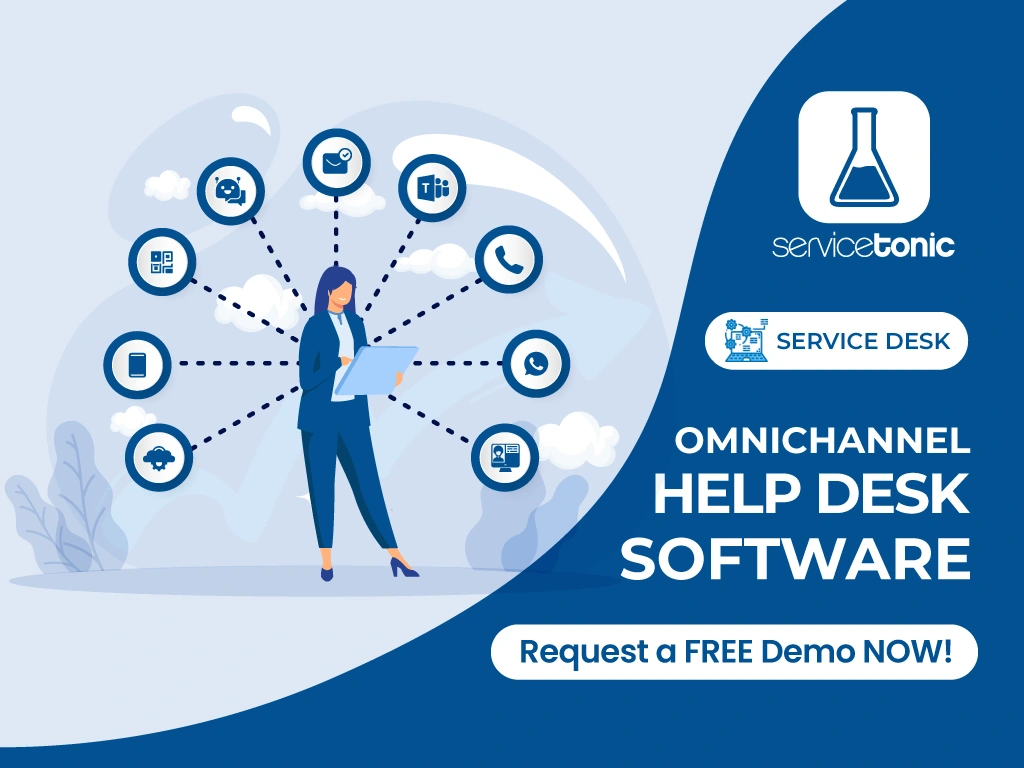
When user requests—no matter the intake channel—are turned into tickets and centralized in a single software, you can track them end to end. Agents from any support team can access them and handle them from anywhere, which translates into faster responses and a better user experience.
You deliver faster responses, improve the user experience, and strengthen customer service. It also makes life easier for agents, who only have to focus on a single tool.
What is an Omnichannel Help Desk and how does it work?
Omnichannel Help Desk doesn’t stop at centralizing the requests it receives—it unifies all the information needed for fast, accurate resolution in a single environment. That way, support teams can handle every ticket efficiently, regardless of the channel of origin.
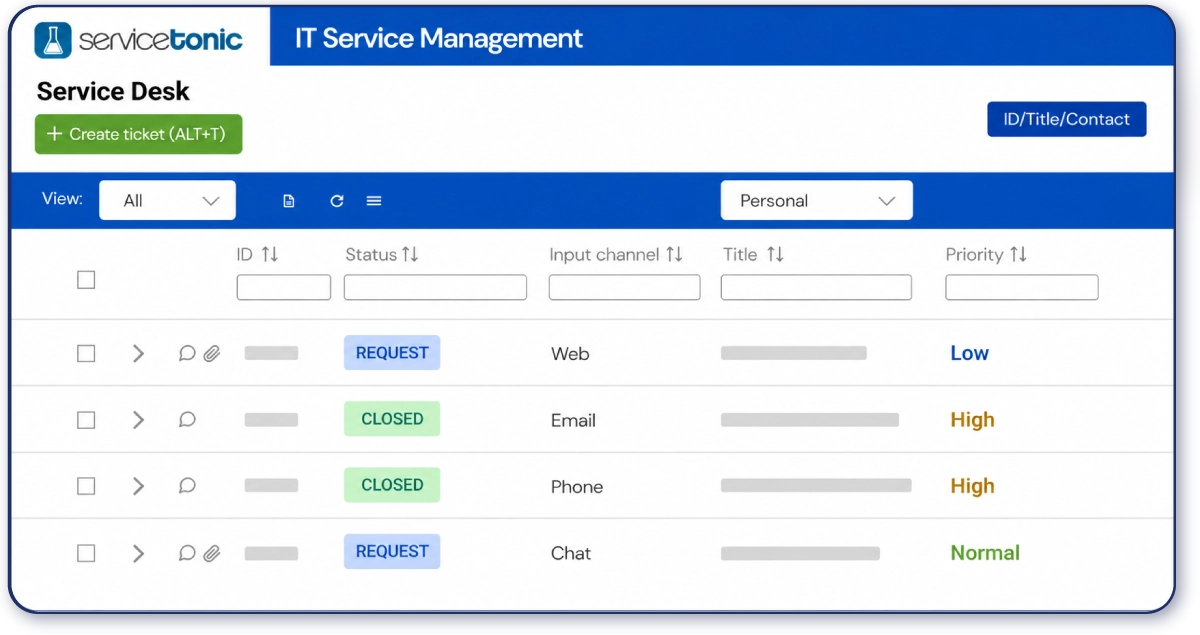
On top of that, replies stay on the same channel the user used to start the request—making communication smoother, improving the experience, and boosting satisfaction.
This kind of solution stands out as a key tool for any support team—IT, HR, Sales, or Customer Service—since they need features like a knowledge base, Artificial Intelligence, or a service catalog that standardize support delivery.
Companies can optimize support processes, cut resolution times, and deliver a better customer and internal user service—more efficient, structured, and organized.
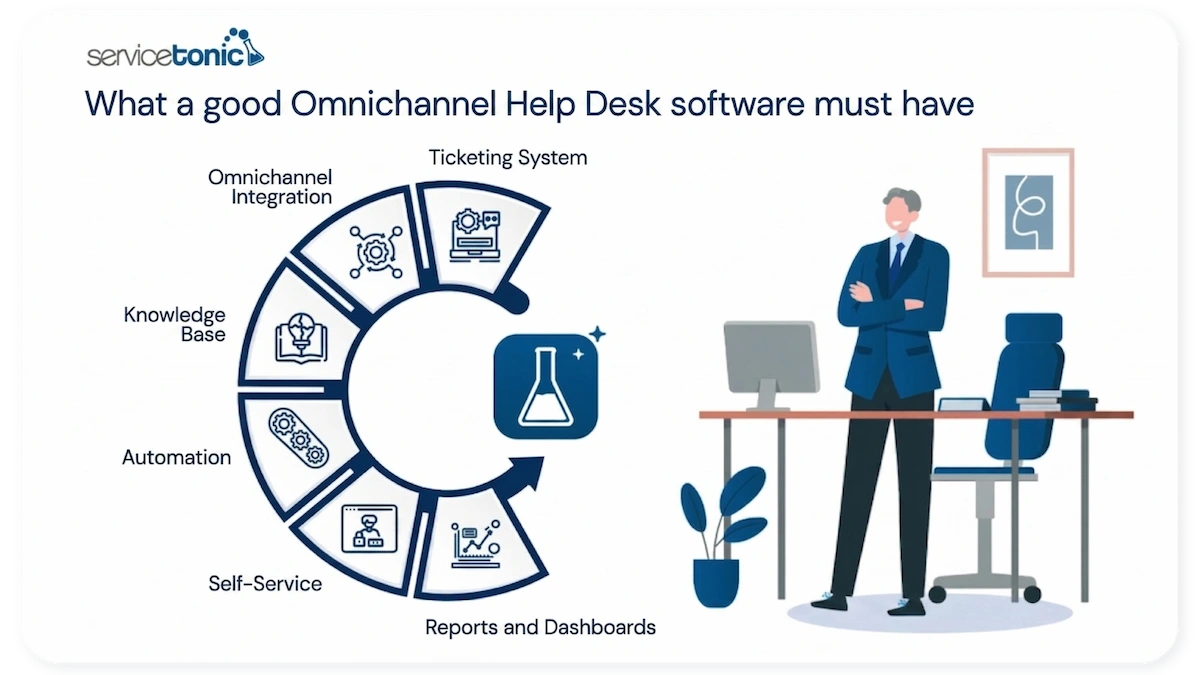
Main features of Omnichannel Help Desk software
An Omnichannel Help Desk software like ServiceTonic integrates advanced features designed to optimize customer service management and boost the efficiency and competitiveness of support teams.
Centralizing contact channels
This is the basic feature that defines an Omnichannel Help Desk software. It centralizes every request—from internal and external users alike, no matter the intake channel—on a single platform, allowing you to handle interactions from different channels in a unified way.
From there, the system makes it easier to organize tickets through categorization, prioritization, and assignment to the right team.
Ticketing system
The ticketing system is the core of any Help Desk software. It lets you log, classify, and manage every support request in an organized way, assigning each one to the right agent or team. It also guarantees full traceability of every incident, making ticket status tracking easier and ensuring no request goes unresolved. ServiceTonic includes custom dashboards and easily configurable dynamic views that let support teams see the status of any request in real time.
Process automation
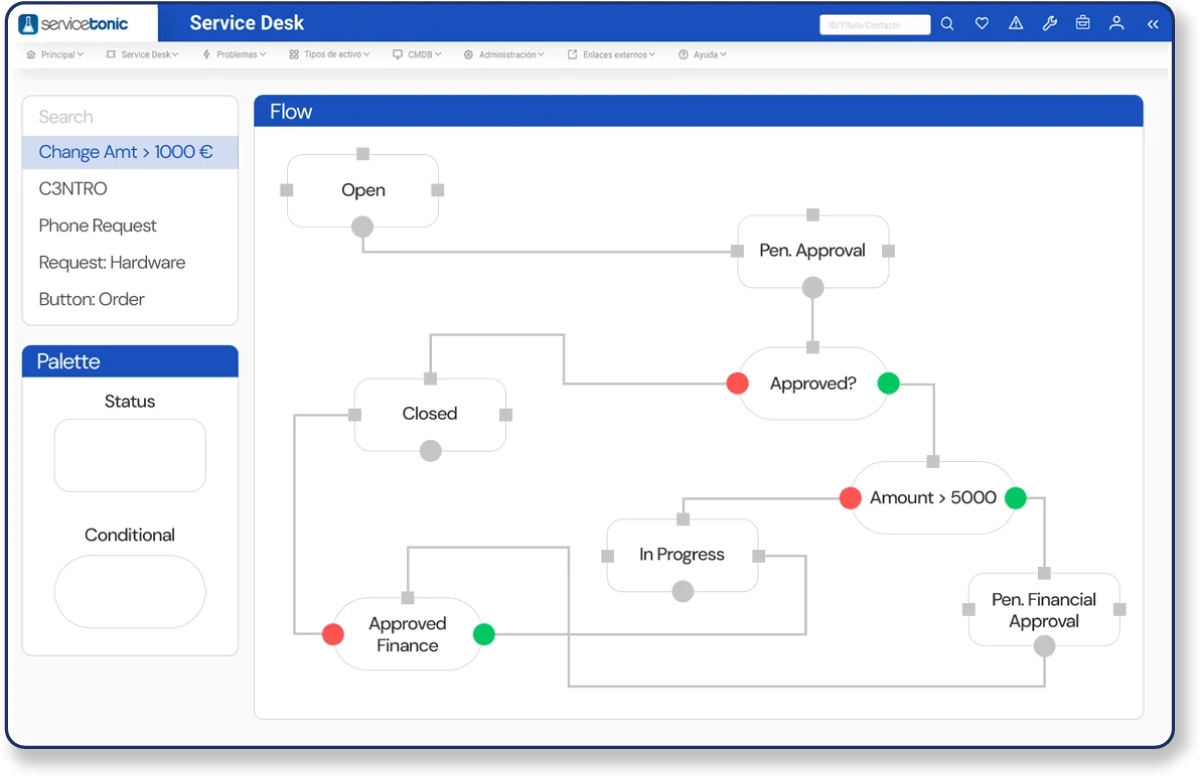
ServiceTonic’s business rules are key—they let you automate processes like assigning a ticket to the right team or agent, changing priorities, sending satisfaction surveys, and basically any process your organization needs to reduce the workload on agents and minimize errors.
Artificial Intelligence
An indispensable feature today is the integration with Artificial Intelligence. ServiceTonic lets you deploy multiple AI Agents, so users sending requests through chat, chatbot, WhatsApp, User Portal, or Teams can find solutions on those same channels—thanks to AI training tailored to your business through internal documentation, your own URLs, or ticket history.
Agents also benefit from Copilot: it translates the ticket and its history, suggests replies, improves wording, and categorizes any request automatically.
You can calculate how much you’d save with ServiceTonic’s AI using our AI calculator.
Knowledge base
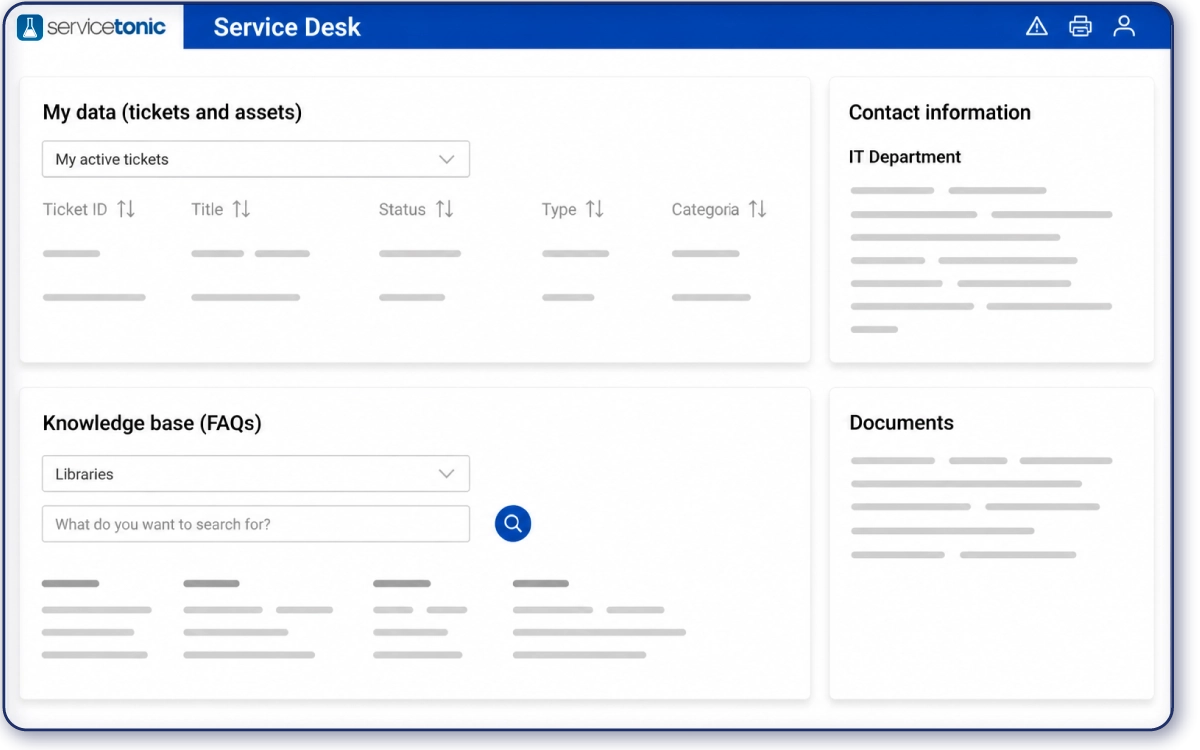
The knowledge base stores articles, guides, procedures, and solutions to common issues. In ServiceTonic, this feature is available for both agents (so they find quick, accurate answers to user questions) and users themselves on the User Portal. This cuts down the volume of low-value tickets, since users find the answers they need on their own—improving their experience—while agents skip simple requests and focus on tickets that deliver more value.
Self-Service or User Portal
The Self-Service or User Portal lets users log requests, check the status of their tickets, and access help articles without having to contact an agent directly. This reduces low-value ticket volume, since users can resolve their questions on their own and improve their experience, while agents focus on more complex, higher-impact incidents.
Dynamic views and dashboards
Dynamic views and dashboards deliver a clear view of support service performance. Dynamic views let you see the intake channel of every request, making it easier to spot which channels get the most use—so you can take action to optimize them or boost the underused ones.
Channels ServiceTonic integrates
As Omnichannel Help Desk software, ServiceTonic lets you integrate and manage every contact channel through which users can submit their requests on a single platform.
- Email: Turns emails into support tickets, and users can receive replies to their requests through this same channel. More on email integration.
- Chat or Chatbot: Both deliver immediate assistance to users browsing a website or the User Portal. They resolve quick inquiries, cut response times, and improve the customer experience in real time—plus, they prevent ticket creation by letting agents focus on more complex requests. More on chat and chatbot.
- User Portal: ServiceTonic’s User Portal lets users find solutions instantly through the knowledge base, AI integration, and access to a service catalog. If they don’t find an answer, they can create support tickets directly from the portal and track their requests, keeping full traceability of every inquiry. More on the User Portal.
- Phone: The integration with phone systems or call center platforms lets you log calls as tickets within the system, keep an interaction history, and track requests made over the phone.
- WhatsApp: ServiceTonic also integrates with the most popular messaging platform—letting users open requests and get replies quickly and easily. More on WhatsApp integration.
- Teams: The AI integration with Teams lets users find answers on this channel the same way they do on chat or WhatsApp.
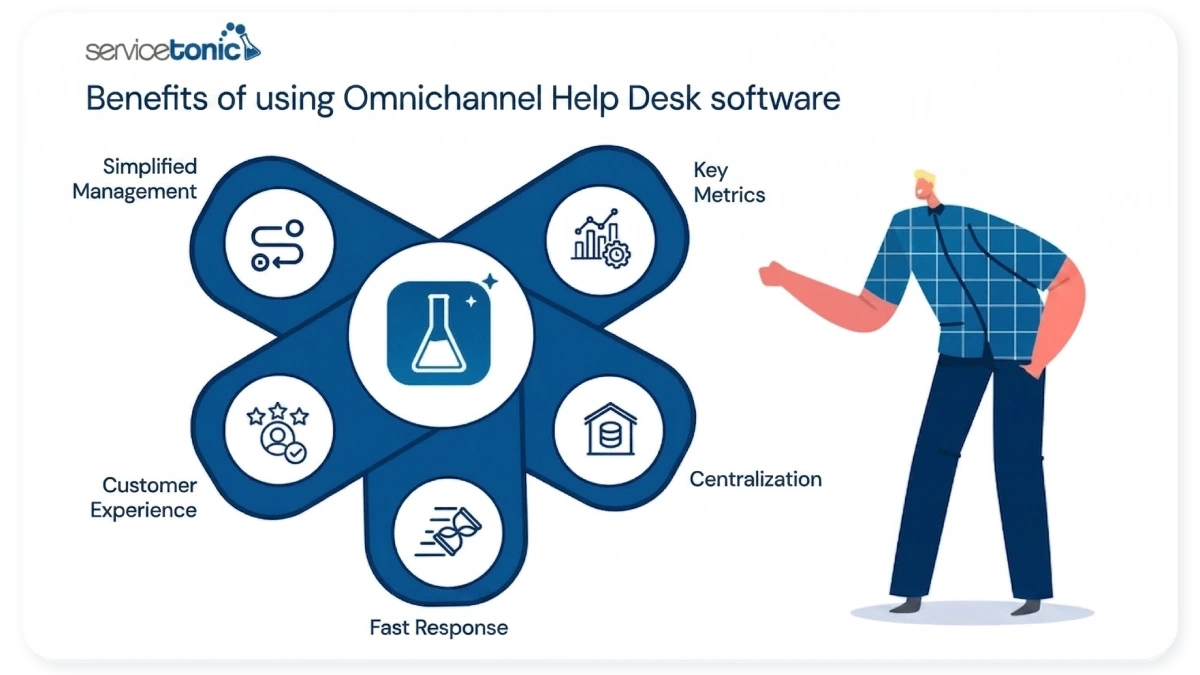
Benefits of using an Omnichannel solution
Omnichannel Help Desk software brings significant advantages for both support teams and users. By centralizing requests from different channels in a single system, it lets you deliver faster, more organized, and more efficient service—improving the overall customer experience and boosting team productivity.
Improves the customer experience
Users can pick whichever communication channel they prefer. Thanks to centralized information, agents can quickly access the interaction history and deliver more consistent, faster, and more personalized responses—which boosts customer satisfaction.
Cuts response times in problem resolution
Centralizing requests and automating processes means incidents are logged and assigned instantly. That helps support teams respond faster, reduce wait times, resolve issues more efficiently, and deliver agile, high-quality customer service.
Centralizes information
Every conversation, request, and ticket is logged in a single system. This keeps a complete history of every user, improves incident traceability, and prevents data loss or duplicate requests across different channels.
Makes request management easier
Tickets can be classified, prioritized, and assigned automatically based on incident type, urgency level, or the responsible department. This kind of organization boosts support team efficiency and lets you handle high request volumes in a more structured, controlled way.
Lets you analyze service performance
The system generates reports and metrics on support performance, like response times, ticket volume, or customer satisfaction levels. This data helps you spot areas for improvement, optimize support processes, and make strategic decisions based on real information.
How to choose the best Omnichannel solution
Picking the right tool means weighing different aspects to guarantee efficient, centralized support tailored to your organization’s needs. Looking at channels, request volume, and ease of use helps you select service management software that optimizes productivity and the customer experience.
Key aspects to consider:
- Evaluate the communication channels you need: figure out which channels your organization will use—now and in the future—to receive requests. ServiceTonic covers all the channels we’ve mentioned: email, phone, chat or chatbot, WhatsApp, Teams, and User Portal.
- Analyze your request volume: it’s important that the solution scales with your business with no extra cost. ServiceTonic adapts to small teams and large companies with high request volumes—delivering the same level of service excellence. You can also start with one department and roll the solution out to others as your business needs it, without touching any structure or configuration.
- Check integrations with other tools: the tool needs to connect with the systems your company already uses, like Active Directory, Azure AD, or phone systems. ServiceTonic integrates with all of these.
- Verify scalability and ease of use: pick a tool that scales with your business and is intuitive for both agents and end users. ServiceTonic lets you create business rules, configure dashboards or dynamic views, build custom reports, and many other configurations—no coding required. Everything happens in an intuitive, easy-to-use environment for any agent.
How ServiceTonic works
ServiceTonic is a complete, versatile Omnichannel Help Desk software, designed to fit companies of any size, sector, and across every department. Its ability to centralize, automate, and optimize customer and user service management makes it a powerful solution.
Its Omnichannel approach lets you integrate every communication channel—email, user portal, chat, chatbot, or phone—ensuring every request is logged as a ticket and managed with its full context, with no information loss. This translates into more agile, consistent, and efficient support across every touchpoint.
ServiceTonic also stands out for its high level of customization, letting you adapt processes, workflows, tickets, and dashboards to each organization’s specific needs—no coding required. This flexibility helps both customer service teams and IT departments optimize their daily operations.
The integration of Artificial Intelligence, with features like Copilot, takes agent productivity even further—helping summarize tickets, suggest replies, translate content, and improve the quality of every interaction. On top of that, automation through business rules lets you build as many workflows as your company needs.
Finally, complementary solutions like the User Portal, Knowledge Base, Service Catalog, or tools like NetworkTonic reinforce its value proposition—turning ServiceTonic into a complete platform that improves the user experience, cuts resolution times, and guarantees high-quality service.
With ServiceTonic, every interaction—no matter the intake channel—is unified in a single environment, where each organization can define how they’re handled, displayed, and automated. Thanks to fully configurable dashboards and dynamic views, you don’t just centralize information—you turn it into a strategic tool to optimize operations and elevate the customer experience.
It’s not just about connecting channels—it’s about orchestrating them intelligently.
Frequently asked questions
1. What is omnichannel support?
Omnichannel support is an approach that lets companies handle every customer interaction in an integrated way across different communication channels, guaranteeing a consistent, seamless experience.
2. What’s the difference between omnichannel and multichannel?
Multichannel offers multiple support channels independently, while omnichannel support connects them so that user information and interactions stay integrated and consistent across every touchpoint.
3. What channels should an Omnichannel Help Desk integrate?
An omnichannel Help Desk software should include email, live chat or chatbot, phone or call center, and self-service portals—centralizing every request and improving ticket traceability.
4. What benefits does an Omnichannel tool bring to customer service?
Key benefits include a better customer experience, shorter response times, centralized information, streamlined ticket and request management, and the ability to analyze performance metrics for continuous service improvement.
5. How do you implement an Omnichannel Help Desk system?
Implementation requires evaluating the channels you need, sizing your request volume, checking integrations with other tools, defining automated workflows, and training the support team to guarantee efficiency, proper ticket tracking, and customer satisfaction.
Conclusion
Implementing an omnichannel Help Desk software lets companies centralize customer service, manage tickets efficiently, and deliver a consistent experience across every communication channel. This approach boosts support team productivity, cuts resolution times, and makes incident and request traceability easier.
Having features like a self-service portal, knowledge base, process automation, and customizable dashboards optimizes service management and supports data-driven decisions. Solutions like ServiceTonic stand out for bringing these elements together in a complete system—delivering operational efficiency, customer satisfaction, and structured support that drives business growth.
Ultimately, an Omnichannel Help Desk doesn’t just centralize support and tickets—it becomes a strategic tool for strengthening customer loyalty and improving service quality at every level of the organization.