

Accelerate your incident resolution and response times to increase your customers’ satisfaction.
Add multiple fields to better categorize and save your tickets
Create as many templates as you need, without coding, and start gathering all the necessary information to subsequently provide great support to both your users and your customers.
Categorize your tickets
ServiceTonic forms allow you to add multiple fields that help categorize and document tickets much more accurately; remember that the more information you register in a ticket, the more options you will have to exploit it later from the dashboards to create reports, build business rules, etc.
On the other hand, the filling process can be a bit of a tedious task for Service Agents.
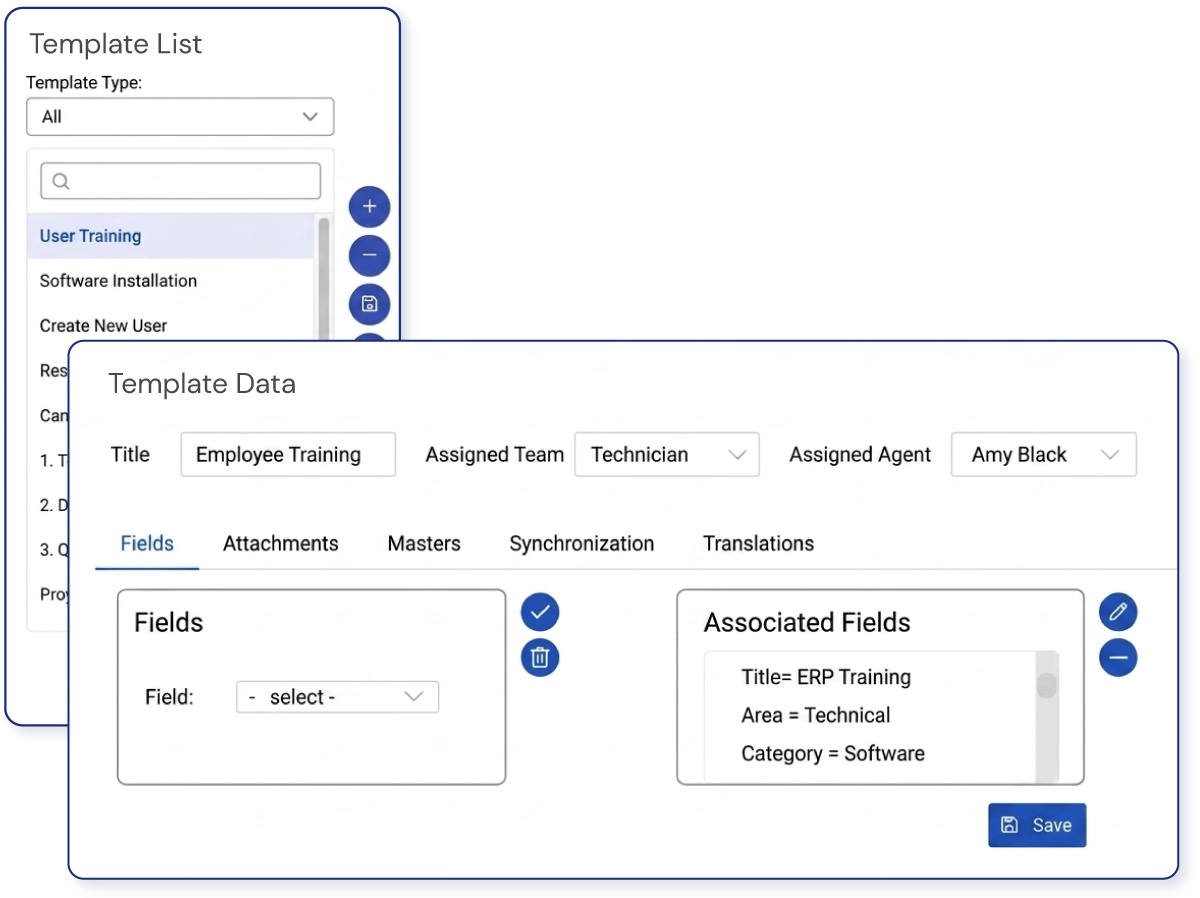
One way to avoid having to fill in all those fields over and over again when opening a ticket is to use ticket templates.
With ServiceTonic, you will be able to predefine all the form fields; from the title, status, and description to any custom field you have added, so that with a simple click, all the information inside the ticket is automatically filled in.
How do they work?
Before opening a ticket, or even from within an already open ticket, you can select the Templates option and associate any of those you have available.
Once selected, it will copy the predefined values into the ticket fields.
When is creating templates useful?
You can create ticket templates for all those incidents/requests that your agents handle regularly, such as password changes and unlocks, or folder access requests, etc.
You can even have the template automatically generate a whole series of already assigned and classified subtasks.
For example, a template for user onboarding will automatically display the subtasks for each of the different tasks to be performed: email creation, network setup, software installation, workspace preparation.
Your agents will work faster, reducing incident resolution and response times, and in a more coordinated manner.
Service Desk Configuration
How do I configure and use templates with ServiceTonic?
You can configure as many templates as you want by accessing the section:
Administration → Service Desk → Quick tickets
Check your ServiceTonic Help to find everything you need to know to configure and use ticket templates.