
Choosing the best IT service desk software is a crucial decision for any business looking to optimise support management and improve the experience for both internal users and customers. It is essential to identify the company’s needs and determine which features are truly essential to ensure a responsive, efficient and scalable service.
- 7 Questions Before Choosing Service Desk Software
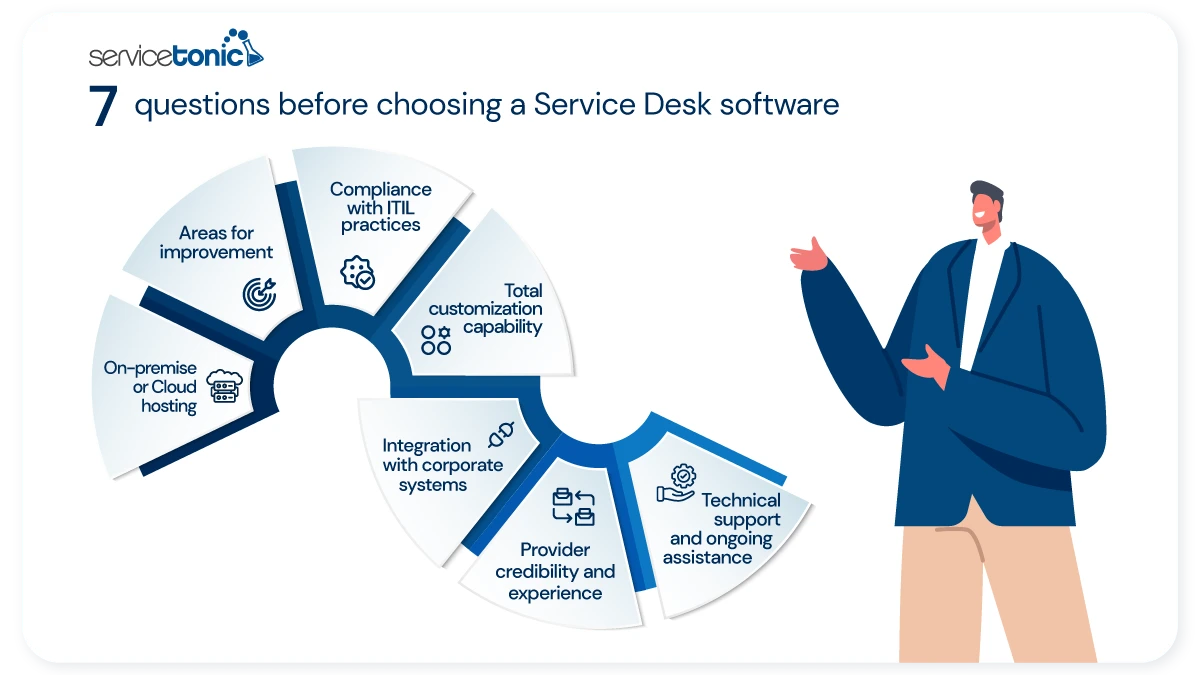
- 1. What Hosting Do I Need? On-Premise or On-Cloud
- 2. What Do I Need to Improve in My Organization?
- 3. Does It Comply With ITIL Best Practices?
- 4. Is the IT Service Desk Customizable?
- 5. Does It Integrate Seamlessly With Other Management Systems?
- 6. Is the Service Management Software Provider Credible?
- 7. Will I Have Continuous Support With the IT Service Desk?
- Complete Service Desk Service With ServiceTonic: Efficiency, Control, and Productivity
- Frequently Asked Questions
- Conclusion
A good Service Desk not only centralises requests, but also enables the automation of processes, improves traceability and provides faster, more organised support. Therefore, before making a decision, it is important to consider various factors that will directly influence the team’s performance and the quality of the service provided.
Evaluating its scalability, ease of use, and adaptation to company growth is key to improving operational efficiency, reducing resolution times, and optimizing the customer experience and technology service management.
7 Questions Before Choosing Service Desk Software
Before making a final decision, it is advisable to analyze in depth different aspects that will determine the success of implementing a Service Desk software.
Asking the right questions allows you to identify if the Service Desk solution truly aligns with the IT department’s objectives, if it facilitates proper problem and incident management, and if it incorporates key features such as dashboards for tracking metrics and KPIs.
Below, we present 7 essential questions you should ask yourself before choosing a Service Desk software.
1. What Hosting Do I Need? On-Premise or On-Cloud
This is the first question you should ask when choosing an IT Service Desk or for any other department. The main difference between an On-Cloud Service Desk and an On-Premise Service Desk lies in where the software is hosted, and how and by whom it is managed.
ServiceTonic offers both options.
When ServiceTonic’s Service Desk is On-Cloud, it means it is on servers managed by the ServiceTonic support team. They are responsible for making backups, applying updates, and ensuring platform security according to ISO 27001 certification standards. This allows for faster implementation, greater scalability, and access from anywhere.
On the other hand, ServiceTonic On-Premise is installed on the organization’s own servers. This offers greater control over data and configuration but implies assuming the management of the infrastructure, maintenance, updates, and security, which usually requires more technical resources and a higher initial investment.
The On-Cloud solution stands out for its flexibility and lower entry cost, while On-Premise is usually chosen in environments with specific control or compliance requirements.
2. What Do I Need to Improve in My Organization?
It is also important, before acquiring a Service Desk software, to evaluate the current state of service management in the organization. This includes analyzing internal Customer Service processes, efficiency in ticket management, average resolution times, and incident traceability.
Identifying areas for improvement allows selecting the solution that truly adds value.
Some companies need to automate workflows to reduce human errors, while others seek a more robust knowledge base to streamline the resolution of recurring problems. It may also be necessary to improve self-service portals and incorporate tools like integrated chat so users can manage requests or resolve doubts without direct intervention from the IT team.
The key is to understand what the bottlenecks are in current operations and how Service Desk software can optimize productivity, reduce costs, and improve customer satisfaction.
ServiceTonic offers a wide range of functionalities as Service Desk software, covering the needs that companies may have.
3. Does It Comply With ITIL Best Practices?
A quality Service Desk software must be aligned with standards like ITIL (Information Technology Infrastructure Library). ITIL provides a best practice framework for IT service management, including incident, change, problem, configuration, and service level processes, which are fundamental aspects in any modern ITSM software.
Ensuring that the tool supports these practices guarantees that processes are consistent, measurable, and structured by applying business rules that automate workflows and ensure compliance with defined procedures. This allows the support team to manage incidents efficiently, prevent recurring problems, and have clear control over infrastructure changes.
Compliance with ITIL standards improves the ability to generate reports, analyze metrics, and make data-driven decisions to optimize service management and company productivity.
4. Is the IT Service Desk Customizable?
Another point to highlight when a company evaluates which IT Service Desk to hire is the customization capability of said software. Every organization, and even every department within it, has different needs. From ticket configuration to the KPIs displayed on dashboards or report parameters, the adaptation options are wide and must be adjusted to each case.
Having a customizable Service Desk, preferably without the need for programming, is fundamental to improving operational efficiency. Avoiding reliance on third parties to make adjustments allows the teams themselves to manage their processes with greater autonomy and agility.
ServiceTonic stands out for its high level of customization. It allows adapting ticket configuration, its fields, and design, as well as creating one or more customizable dashboards at the user, team, or service level, among many other options.
5. Does It Integrate Seamlessly With Other Management Systems?
The next question to ask to correctly choose the IT Service Desk or for any other department is its integration capability with other solutions and enterprise systems.
This includes communication platforms, monitoring systems, and automation solutions typical of support software aimed at optimizing customer service within the organization.
Integrations allow centralizing information, avoiding duplications, and improving the traceability of requests and tickets.
ServiceTonic, in addition to meeting these characteristics, incorporates features that allow for effective asset management. It also has its own tool, NetworkTonic, which allows scanning all assets connected to the network and taking an asset inventory.
The Service Desk automatically generates tickets when the system detects an incident during scanning, which facilitates and streamlines the support team’s work.
6. Is the Service Management Software Provider Credible?
Provider reliability is a determining factor. A Service Desk is only as effective as the support and experience backing the offered software solution. Therefore, it is advisable to verify the provider’s reputation, their track record in the market, and success stories demonstrating that the tool works consistently in similar companies.
A reliable provider guarantees regular updates, compliance with security standards, and Service Management best practices. Moreover, they ensure that the company will have technical support, training, and access to a comprehensive knowledge base and a well-structured service catalog that facilitates tool adoption and maximizes Service Desk productivity.
ServiceTonic is certified by ISO 27001, ensuring it meets established security requirements.
7. Will I Have Continuous Support With the IT Service Desk?
The last question the organization must ask to evaluate a Service Desk for the IT department is whether it has a support team available at all times to support agents during their workday.
This includes technical support, regular updates, documentation, and access to a complete knowledge base that facilitates daily support operations. It is also important for the provider to offer initial training and resources for process optimization.
Constant support makes it possible to maintain the operational efficiency of the Service Desk, ensure that tickets are managed correctly, and guarantee that end-users receive quality attention. This not only improves the support team’s productivity but also contributes to a positive customer experience and the continuity of technological services in the company.
Complete Service Desk Service With ServiceTonic: Efficiency, Control, and Productivity
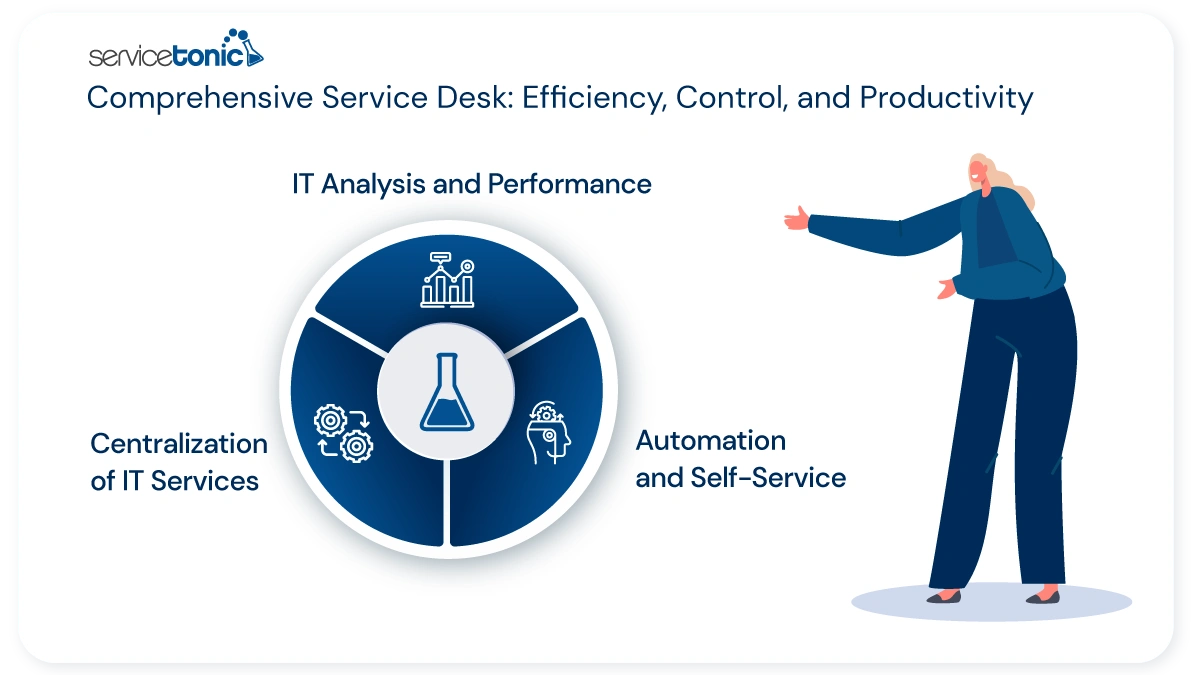
ServiceTonic is a Service Management solution designed to centralize and optimize the management of services, incidents, and requests within organizations of all sizes.
ServiceTonic features:
- Advanced ticketing system,
- Self-service portal,
- Knowledge base
- Automation capabilities that facilitate the organization of support and attention processes.
- It is ITIL aligned
- Artificial Intelligence to facilitate agents’ work and offer immediate answers to users.
- Chat and Chatbot
- Omnichannel Software
Thanks to its analysis and reporting tools, it allows measuring performance, identifying areas for improvement, and increasing IT team productivity. The flexibility of ServiceTonic, along with its focus on operational efficiency and adaptation in cloud environments, contributes to offering faster and more consistent support, favoring a more satisfactory customer experience and structured support for service management in the company.
Frequently Asked Questions
What Is the Best IT Service Desk Software?
It depends on the company’s needs, the required scalability, and integration with internal processes. It must allow for incident management, automation, a user portal, and a knowledge base.
What Service Management Features Are Essential?
Among them: a ticketing system, incident and problem management, automation, a self-service portal, a knowledge base, report generation, and performance metrics.
How Much Does Management Software or a Ticketing System Cost?
The cost varies according to the number of users, features, and licensing model (cloud or on-premise). It is important to consider the total cost of ownership, including support, training, and updates.
What Is the Difference Between ITSM and Service Desk?
The Service Desk is the single point of contact that manages incidents and requests. ITSM is a comprehensive approach to Service Management, covering processes such as change management, asset management, and continuous improvement.
How Do I Know If a Tool Fits My Company?
By analyzing internal processes, request volume, strategic objectives, and maturity level in service management, as well as ease of use, scalability, and the possibility of integration with other tools.
Conclusion
Choosing the right Service Desk software requires a strategic approach that combines the evaluation of technical functionalities, integration with internal processes, and provider support. The seven questions presented allow companies to analyze fundamental aspects such as the hosting type (cloud or on-premise), customization capability, compatibility with ITIL best practices, integration with other tools, and the availability of continuous support.
A well-selected solution improves service management, optimizes productivity, reduces resolution times, and strengthens customer service. Furthermore, a robust Service Desk with a self-service portal, knowledge base, and automated workflows allows companies to efficiently manage incidents, requests, and problems, ensuring that IT teams work more efficiently and that users have a satisfactory and consistent experience.
More information about Service Desk: