
A quality service desk must be multilingual to adapt to global environments. It is worth remembering that digital transformation has distributed teams and customers across different locations, so language can affect both productivity and customer communication.
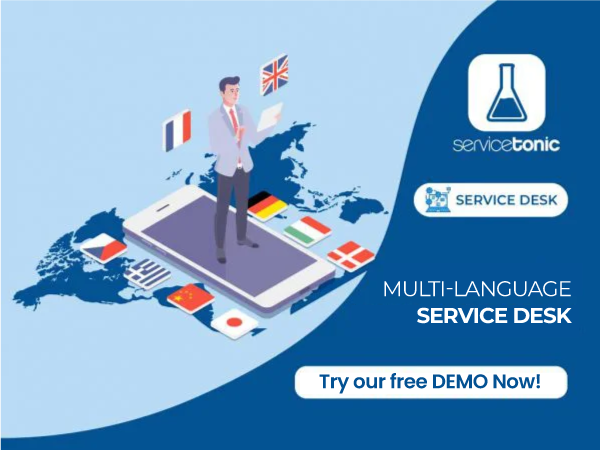
For this reason, the ServiceTonic service desk is a multilingual service desk, allowing both the application and all customizations to be available in 12 different languages.
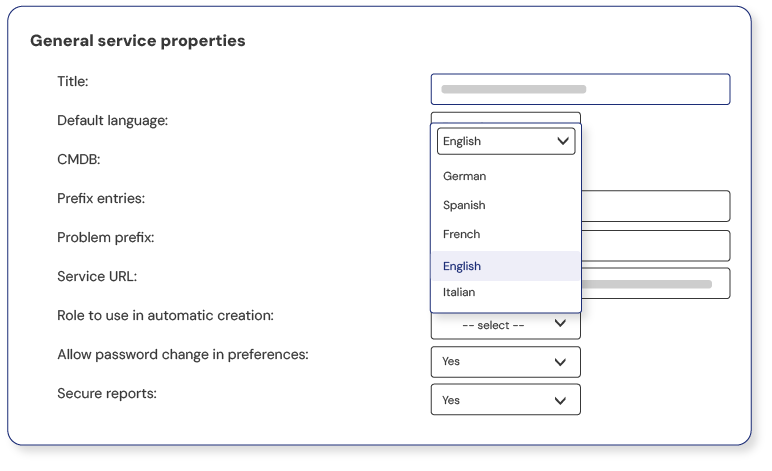
Languages supported by ServiceTonic
The languages available in the ServiceTonic service desk are:
-
Spanish
-
English
-
French
-
German
-
Polish
-
Swedish
-
Italian
-
Portuguese
-
Brazilian Portuguese
-
Catalan
-
Czech
Benefits of having a multilingual service desk
Today, it is common for team members, offices, and customers to be located in different geographic areas and to speak different languages. ServiceTonic acknowledges this diversity and offers a multilingual service desk that can be adapted to each user’s needs. It not only focuses on translating the application, but also takes into account the possibility of translating users’ custom configurations. This way, ServiceTonic ensures a complete and personalized experience for every stakeholder involved, regardless of their location or language.
This means that a customer can have their user portal in their own language, while the company responsible for managing their tickets can use the service desk in a different language.
Thanks to this configuration, language is no longer an obstacle when it comes to working and delivering the best customer service.
ServiceTonic is much more than a multilingual service desk
At ServiceTonic, we understand the importance of having an application available in multiple languages. That’s why we offer a multilingual service desk that allows you to translate both the interface and any customizations into the desired language. We make sure our users enjoy a truly global experience, no matter what language they speak. ServiceTonic is a complete service desk solution, fully adapted to your language needs.
With ServiceTonic, you can have a multilingual service desk, both in the default configuration and in all your own customizations.
Multilingual service desk, including customizations
As we have just seen, in addition to having the entire default application translated into these 12 languages, and since ServiceTonic is a service desk with a high level of customization, the possibility of translating all those custom configurations into multiple languages has also been taken into account.
These are the customizable elements that can be translated into the 12 languages:
Contacts
Each contact can also have their own language. This means that if customers need to work with the application in their preferred language, it is possible with ServiceTonic. This avoids imposing a single language regardless of their geographical location.
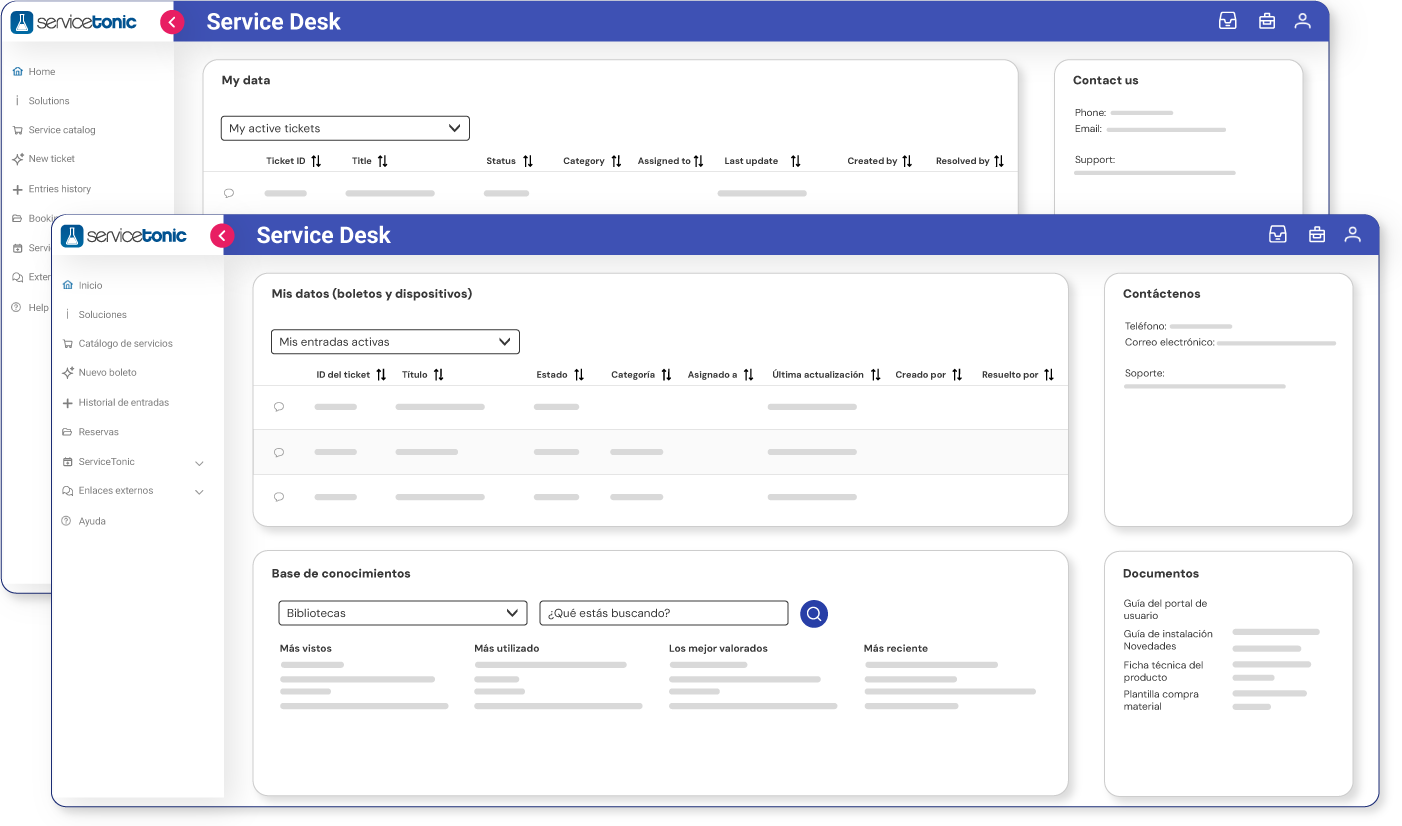
User portal in multiple languages
The ServiceTonic Service Desk user portal is designed to make self-service easier for customers. Through the portal, your customers can open any tickets they need and contact an agent, as well as browse knowledge base topics that can resolve most of their questions.
The ServiceTonic user portal offers a high level of customization, so naturally it also includes the option to translate it—just like the rest of the custom fields—into the language the customer feels most comfortable with.
Translation is available in the 12 languages offered by ServiceTonic’s multilingual service desk.
Custom fields
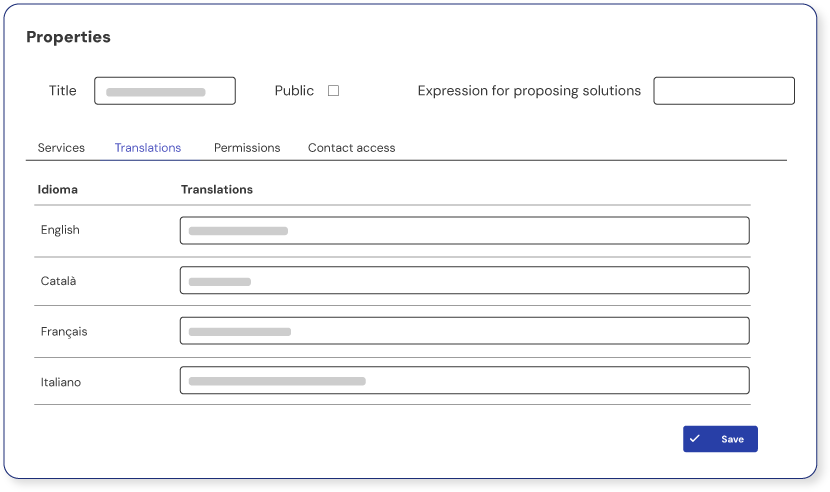
One of the features that makes ServiceTonic a high‑quality service desk is its strong customization capability. This allows users to create, for example, their own fields in tickets, contacts, or preventive maintenance planning, as needed for the optimal operation of the application.
Because it is a multilingual service desk, it is possible to translate all custom fields that have been previously added during configuration into the desired language.
Multilingual knowledge base
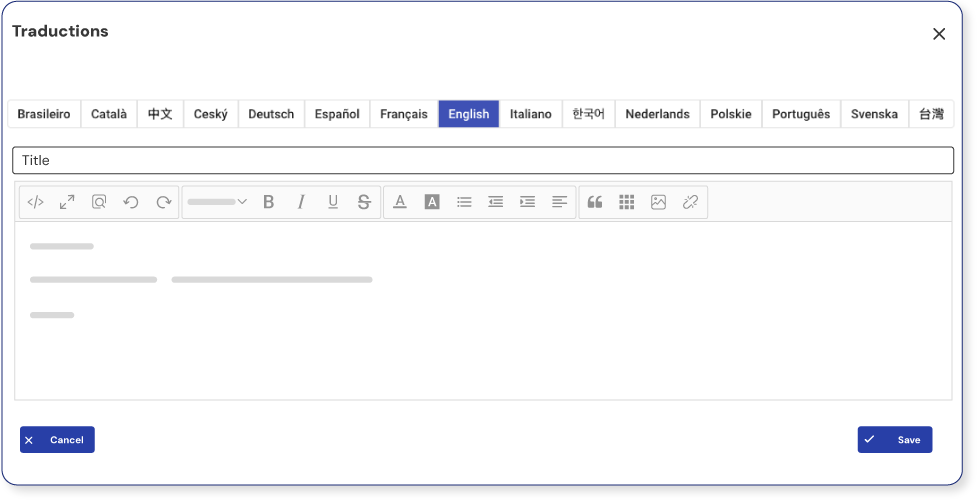
The ServiceTonic service desk includes a knowledge base, or help center, that allows users and contacts to resolve most of their questions. It is a repository where all types of documents can be attached, and it can be accessed both from the user portal and from the main application screen.
This help center, like the rest of the customizable elements, can be translated into any of the 12 languages supported by ServiceTonic. You simply need to select the language in which the topic will be created, and it will be displayed to the user in the language they have selected in their preferences.
Custom or dynamic views
Custom views are user-defined views that can be created to quickly display information related to a ticket. In these views, users can choose to add or remove any fields that they consider to be valuable.
ServiceTonic’s multilingual service desk also allows these views to be translated into the languages defined by users in their preferences.
Quick replies
Another key principle of ServiceTonic, beyond its high level of customization and one that adds significant value, is process automation, which, through various actions, helps save time and costs, allowing agents to focus on more productive tasks. One of these automated processes is the creation of quick or predefined replies.
Quick or predefined replies help shorten response times in tickets. They consist of creating a set of default solutions that can be inserted into ticket responses, thereby reducing the time spent replying to each request. ServiceTonic allows these predefined replies to be translated into the 12 languages supported by the application, so both users and contacts receive the response in their own language.
Dashboard
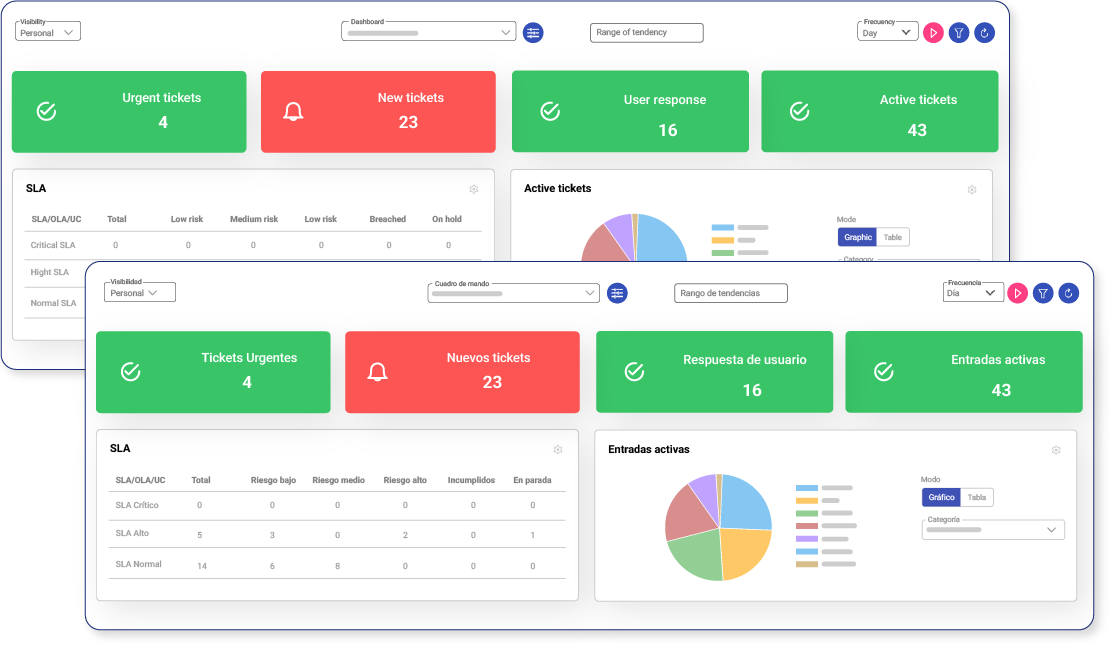
The dashboard is the most important part of a service desk. It allows users to quickly see the status of their tickets on a single screen. It is also one of the most customizable parts of the service desk, which is why ServiceTonic allows the entire dashboard to be translated into the language chosen by the user.
These dashboards display indicators or KPIs in customized panels by adding or removing the different available components. ServiceTonic’s multilingual service desk makes it possible to translate these dashboards into any desired language.
Email notifications
A service desk must, without question, include email notifications that can be sent to agents, users, and contacts about their tickets and other functionalities.
For example, a service desk should notify when there are changes to a ticket, when a new one is opened or closed, and any other alerts the user considers necessary to provide better customer service. It is even possible to send email templates to check the customer’s level of satisfaction after a resolution.
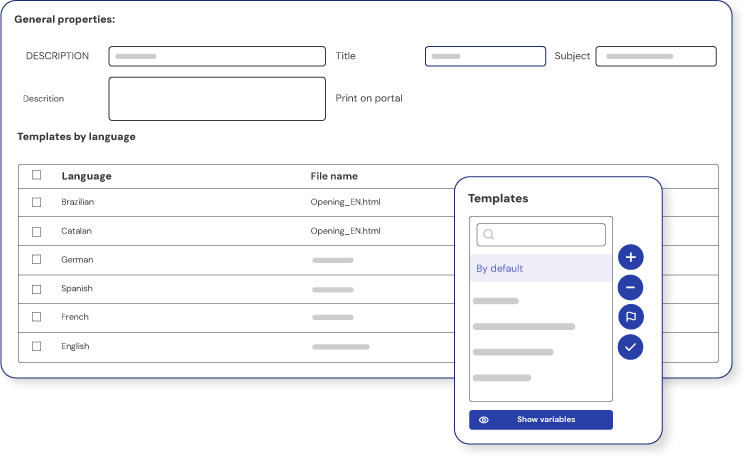
The user only needs to create their own templates in HTML format and configure the application to send them.
This is a key point, which is why it must be a multilingual service desk, as it allows the same template to be sent in the language that each user has configured.
The same email notification template can be used for different users working in different languages, and ServiceTonic takes care of sending the email in each user’s language.
Set the language of your service desk
User’s default language
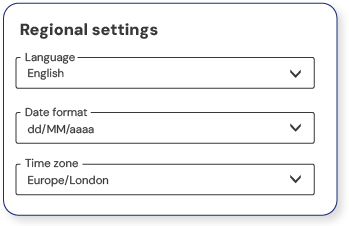
All language customizations are applied according to the user’s default language set in their preferences. In this way, users will see the dashboard, views, quick replies, and all configured settings in the service desk displayed in their default language.
Service-defined default language
Another advantage of using the ServiceTonic service desk is the ability to create as many services as the company requires. For example, you can create one service per department and, through prior configuration, define which users will have access to each one. This makes it possible to have an IT service that only IT team members can access, an HR service restricted to HR staff, and as many variations as you need.
As in the previous cases, it is also possible to associate a language with each service.
This allows each service to have its own language when required by the company.
It is important to note that the language set in the user’s preferences takes precedence over the language defined for the service.