
A web portal, or user portal, is a digital platform where users can create support tickets to report incidents or submit service requests, and check the status of their requests at any time.
A web portal or self-service portal provides an environment where companies build a knowledge base with relevant information for users, making it easier to resolve common questions quickly. Companies can also publish corporate notifications and offer a service catalog that lets users request products or services.
It becomes a single contact channel between users and the company, where requests can be opened and routed to the agents in charge of resolving them—whether they belong to the IT department or to any other support area.
On top of that, integrating AI into ServiceTonic’s web portal or user portal speeds up ticket resolution significantly. It prevents agents from having to handle low-value tickets so they can focus on more complex tasks, ultimately improving user satisfaction.
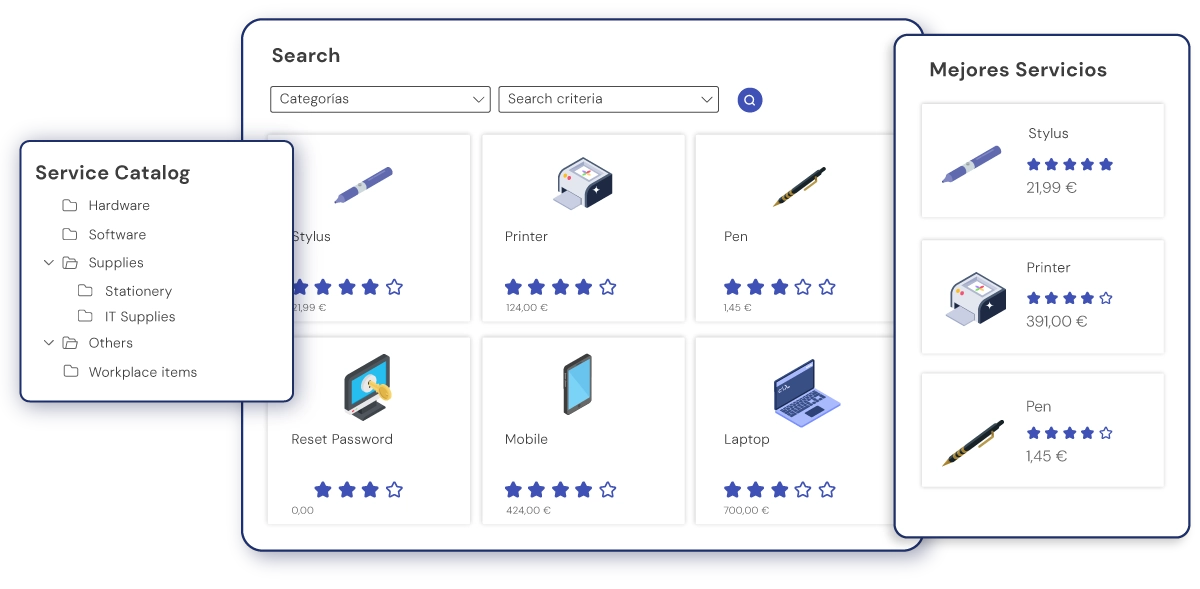
Having a service catalog inside the portal also boosts efficiency, since it streamlines and standardizes how users request products or services.
A web portal or user portal is a self-service option that unifies communication between users and the company.
What problems does a user portal solve?
Implementing a web portal or self-service portal in your company solves the main communication issues between users and agents:
Lack of centralized communication
One of the main issues a web portal or self-service portal solves is centralizing user inquiries. ServiceTonic, as Omnichannel Help Desk software, unifies user requests in a single solution—whether they come in via email, phone, WhatsApp, chat, or chatbot—turning the User Portal into another communication channel with the support team.
Repetitive tickets caused by hard-to-find information
Another challenge companies face is that knowledge is scattered, disorganized, and inaccessible to users. This lack of structure forces users to open tickets for basic, recurring questions that could be solved simply by checking a well-built knowledge base or by interacting with ServiceTonic’s AI Agents. These AI Agents are trained by your company with internal documents, guides, manuals, specific URLs, or ticket history—so they already know the answers users are looking for. The result: fewer unnecessary tickets.
High response times
Both the lack of centralized communication and the volume of low-value tickets cause agents to take longer to respond, either because they’ve lost track of a message or because they’re tied up resolving basic inquiries that prevent them from focusing on higher-priority tickets.
A web or self-service portal lets agents respond to user requests faster.
AI also helps them find answers sooner by automatically categorizing tickets and suggesting replies.
Main features of the self-service portal
The features ServiceTonic’s web portal or self-service portal offers let you efficiently manage every need—both for users and for agents.
These features include:
- Ticket management and request tracking: Makes it easy to open and track support tickets. Users can check the status of their requests in real time.
- Access to the knowledge base: The self-service portal hosts one or more knowledge bases with role-based access, so users can consult them anytime and find answers on their own.
- AI integration: AI also delivers immediate answers to user questions. If a support ticket eventually needs to be opened, it’s already automatically categorized and the agent can review the conversation between the AI and the user—giving them better context on the request.
- Service catalog: ServiceTonic’s service catalog, embedded in the user portal, lets users request products or services in a structured way.
Support ticket management
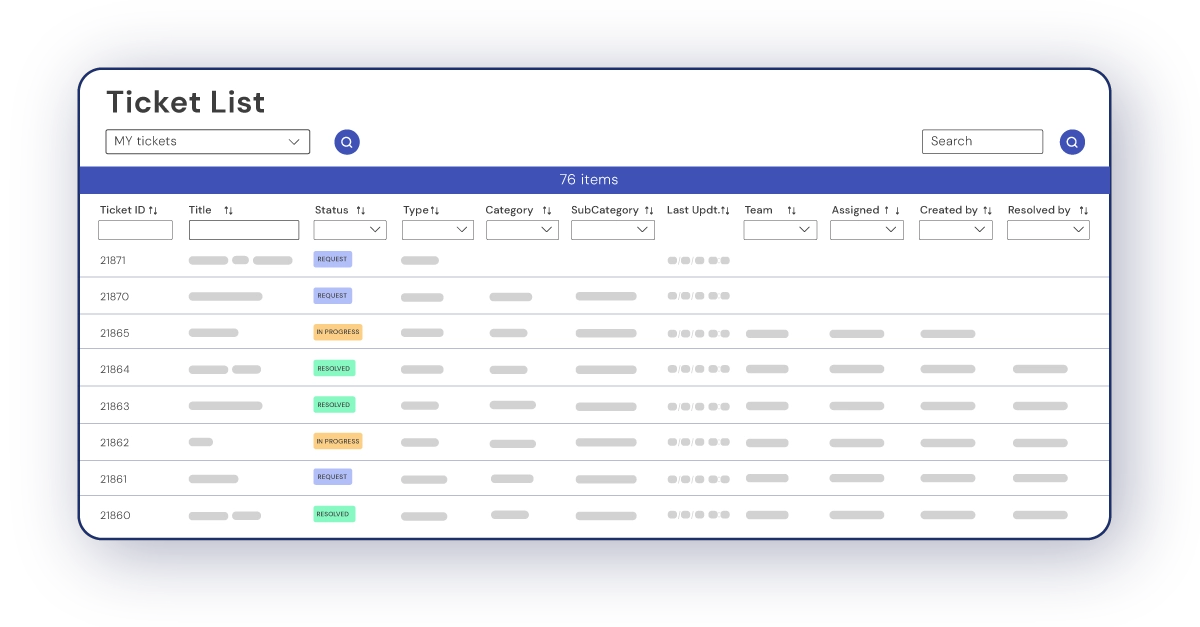
ServiceTonic’s web portal or self-service portal is an additional channel—alongside email, phone, WhatsApp, chat, and chatbot—where internal users can open support tickets to the support teams.
Users can check the status of their tickets in real time, whenever they want. This brings transparency and reduces uncertainty. They can also interact with agents directly within the ticket, centralizing all the information and making sure neither users nor agents miss anything important.
ServiceTonic, as ticket management software, makes this tracking possible.
Knowledge base: immediate answers and self-service
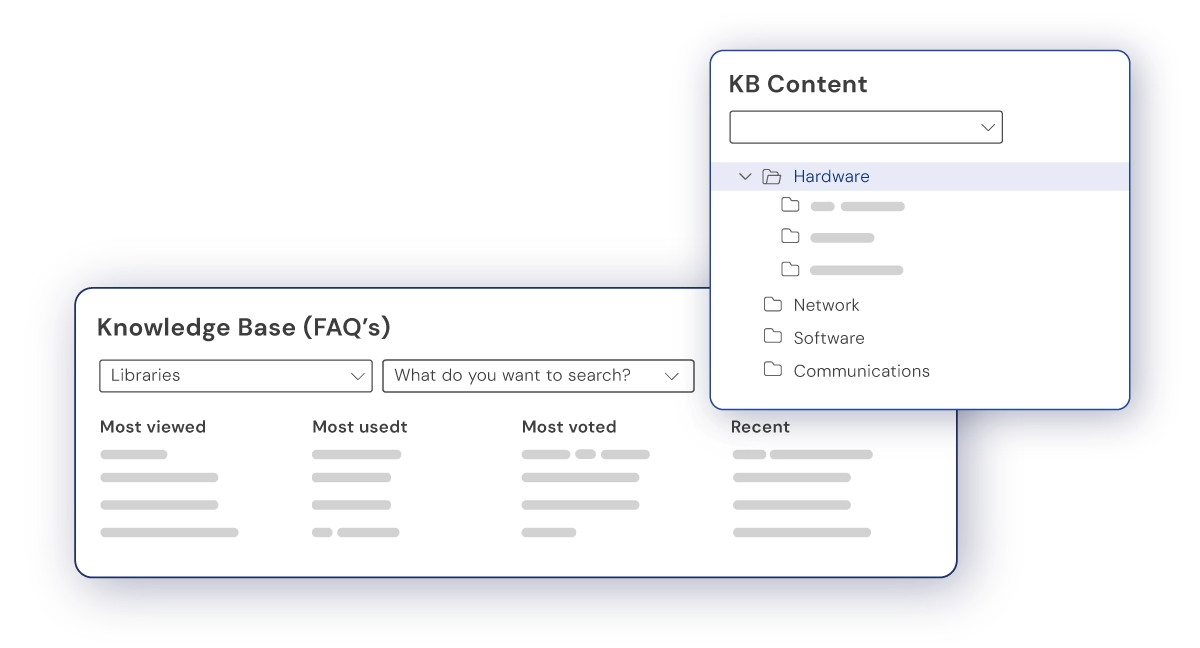
The knowledge base is one of the cornerstones of any web or self-service portal. When it’s well structured and organized, users find answers fast.
By delivering quick answers, ticket creation drops—easing the load on agents and improving the user experience.
Integration with Artificial Intelligence
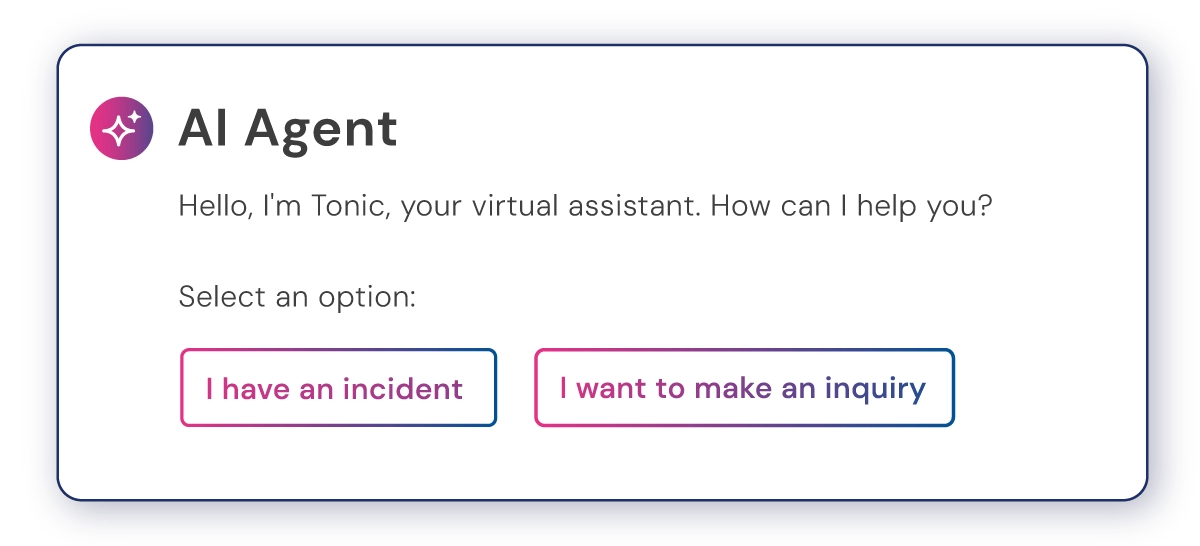
Adding Artificial Intelligence to your web portal or self-service portal through AI Agents brings a feature that transforms support delivery.
Companies need to train these AI Agents with internal documentation—manuals, guides, corporate documents, your own URLs, and optionally ticket history. When one or more AI Agents are properly trained, users find answers quickly and avoid opening support tickets.
If a user can’t find a solution to their request, they can use the conversation history with the AI to open a support ticket. The agent assigned to resolve it will see exactly what the user asked and tried, getting all the context needed to provide a faster, more accurate response.
Service catalog
The main role of a service catalog in a web portal is to streamline how service and product requests are handled within a company.
Users can easily request services or products straight from the portal, and that request becomes a support ticket in ServiceTonic, the ticket management software. This way, every request follows the same structure—improving handling and reducing errors.
Once it becomes a support ticket, the user can access it from the same portal and check the status of their request in real time.
Benefits of the self-service portal for companies
Adding a self-service portal to your company brings several benefits:
- Greater operational efficiency
- Resource optimization and lower costs
- Better control and traceability of requests
- Higher user satisfaction
FAQs about ServiceTonic’s self-service portal
What types of requests can be managed from the portal?
Users can open anything from incidents and general inquiries to service requests. Everything is handled the same way, from a single environment.
Do you always need to create a ticket?
No. Thanks to the knowledge base and AI, users can resolve many of these requests on their own.
How does Artificial Intelligence improve support team management?
Artificial Intelligence answers some user questions directly, speeding up request resolution and improving user satisfaction. It also prevents tickets from being opened for recurring inquiries, freeing up the support team’s workload.
What are the benefits of the service catalog?
Including a service catalog in the web portal streamlines and standardizes how products and services are requested—improving efficiency and reducing errors during processing.
How is access to the web or self-service portal defined?
The web portal is accessible to every user in the company, but the company decides which services they can access. Each service—IT, HR, Sales, and so on—has its own service catalog, its own knowledge base with related content, and its own AI Agents. Companies can also define roles and assign them to users, controlling exactly what information each one can see.
Conclusions
ServiceTonic’s self-service portal stands out as a key tool for modernizing service management across organizations. It centralizes communication, prevents recurring tickets, and improves user support.
Companies deliver a faster, more efficient, self-service-driven service—boosting user satisfaction and support team performance.